
Blog
Building an Enterprise AI Gateway for On-Premises Model Orchestration
How to design and deploy a centralized AI gateway that provides unified access, policy enforcement, and traffic management across all your on-premises AI models.
The Sprawl Problem
As enterprises deploy more AI models on-premises, a familiar pattern emerges: each team deploys its own models with its own serving infrastructure, authentication mechanisms, and monitoring tools. The NLP team runs a text classification service on one GPU cluster. The computer vision team serves an object detection model from another. The data science team has three experimental models behind a custom Flask API. Within months, the organization has a dozen AI endpoints with no unified governance.
This sprawl creates operational pain at every level. Security teams cannot audit model access consistently. Platform engineers cannot optimize GPU utilization across workloads. Developers building applications must integrate with multiple APIs, each with different authentication patterns, request formats, and error handling. When a model needs to be retired or updated, there is no single control point to redirect traffic.
An AI gateway solves this by providing a single entry point for all model interactions. It sits between consuming applications and model serving infrastructure, handling cross-cutting concerns like authentication, rate limiting, request routing, logging, and policy enforcement. Think of it as an API gateway purpose-built for AI workloads.
Core Architecture of an AI Gateway
An on-premises AI gateway has four primary layers:
The ingress layer receives all incoming requests and handles TLS termination, authentication, and initial validation. It exposes a unified API — typically OpenAI-compatible or a custom schema — so consuming applications interact with a single interface regardless of which model serves the request. This abstraction means you can swap underlying models without changing client code.
The routing layer determines which model instance should handle each request. Routing decisions can be based on the request content (e.g., language detection to route to language-specific models), explicit model selection by the client, cost and latency requirements, or current load across available instances. This layer also handles model versioning — you can route a percentage of traffic to a new model version for canary testing while the majority continues hitting the stable version.
The policy layer enforces organizational rules before requests reach models and after responses are generated. Pre-processing policies might include content filtering, PII detection and masking, prompt injection detection, or input length enforcement. Post-processing policies might include output sanitization, compliance logging, or response format normalization.
The observability layer captures metrics, logs, and traces for every request. This includes latency breakdowns (queue time, inference time, post-processing time), token usage, error rates, and model-specific performance indicators. Centralizing this telemetry in the gateway means you get consistent observability across all models without instrumenting each one individually.
Implementation Approaches
You have three practical options for building an on-premises AI gateway:
Extend an existing API gateway. If you already run Kong, NGINX, or Envoy in your infrastructure, you can extend it with AI-specific plugins. Kong offers an AI gateway plugin that handles model routing, token counting, and prompt engineering. Envoy supports custom filters written in Lua or WebAssembly that can implement AI-specific logic. The advantage is leveraging existing infrastructure and operational knowledge. The limitation is that these tools were not designed for AI workloads, so features like streaming response handling, token-based rate limiting, and model-aware load balancing require custom development.
Deploy a purpose-built AI gateway. Projects like LiteLLM and MLflow AI Gateway are designed specifically for AI model orchestration. LiteLLM provides an OpenAI-compatible proxy that can route to any model backend — vLLM, TGI, Ollama, TensorRT-LLM, or custom endpoints. It handles model fallbacks, load balancing, budget tracking, and access control out of the box. MLflow AI Gateway integrates with the MLflow ecosystem for model versioning and experiment tracking. Both run entirely on-premises.
Build a custom gateway. For organizations with unique requirements — highly specialized routing logic, deep integration with proprietary systems, or strict performance constraints — a custom gateway built on a high-performance async framework like FastAPI or Go's net/http may be appropriate. This gives maximum flexibility but requires significant engineering investment and ongoing maintenance. Only choose this path if the off-the-shelf options have been evaluated and found genuinely insufficient.
Essential Gateway Policies
The policy layer is where an AI gateway delivers the most organizational value. Here are the policies that every enterprise should implement from day one:
Authentication and authorization. Every request must be tied to an identity — whether a user, a service account, or an API key. Use your existing identity provider (Active Directory, Okta, Keycloak) and enforce role-based access control at the model level. Not every team needs access to every model. A developer building a customer-facing chatbot should not be able to route requests to an unrestricted base model.
Rate limiting and quotas. Token-based rate limiting prevents any single consumer from monopolizing GPU resources. Set per-consumer quotas that align with your capacity planning — if your inference cluster can handle 100 requests per second across all models, allocate that budget across consumers based on priority and SLA requirements. The gateway should queue or reject requests that exceed quotas rather than overloading serving infrastructure.
Input guardrails. Before a request reaches a model, the gateway should check for prompt injection attempts, PII that should not be sent to the model, and inputs that exceed length limits. These checks are especially important when models are exposed to end-user input rather than controlled application logic. Tools like Guardrails AI and LLM Guard provide pre-built detectors you can integrate as gateway middleware.
Output logging and audit trails. Every model interaction — input, output, model version, latency, consumer identity — should be logged to an append-only audit store. This is non-negotiable for regulated industries and increasingly expected across all enterprises. Structure your logs so they can answer questions like: "What did model X tell user Y on date Z?" and "How has this model's output changed since the last version update?"
Traffic Management for AI Workloads
AI inference workloads have characteristics that distinguish them from typical API traffic and require specialized traffic management:
Variable latency. A request generating 10 tokens takes far less time than one generating 2,000. Standard load balancers that route based on request count will unevenly distribute actual compute load. Implement load-aware routing that considers each backend's current queue depth and active request count rather than simple round-robin.
Streaming responses. Many LLM applications use server-sent events (SSE) for streaming token generation. Your gateway must handle long-lived connections efficiently without blocking connection pools. Configure appropriate timeouts — a streaming response that takes 30 seconds to complete should not trigger a gateway timeout designed for sub-second API calls.
Batch optimization. When multiple requests arrive for the same model within a short window, batching them into a single inference call can significantly improve GPU utilization. The gateway can implement request coalescing by holding incoming requests in a short buffer (5-20ms) and grouping compatible requests before forwarding them to the model server. This is particularly effective for embedding models and classification workloads.
Graceful degradation. Define fallback behaviors for when primary models are unavailable. The gateway can automatically route to a smaller backup model, return cached responses for similar queries, or queue requests for delayed processing. Make these degradation policies explicit and configurable per consumer — some applications can tolerate a smaller model's reduced accuracy, while others should fail rather than return lower-quality results.
Operational Considerations
Deploy the gateway itself as a highly available service — it becomes a critical path component once all model traffic flows through it. Run at least three instances behind a load balancer with health checks. Keep the gateway stateless so instances can be added or removed without coordination. Store configuration (routing rules, policies, consumer credentials) in a central config store like etcd or Consul that the gateway reads at startup and watches for updates.
Version your gateway configuration alongside your infrastructure code. Routing changes, policy updates, and model additions should go through the same review and deployment process as any other infrastructure change. This is especially important because a misconfigured gateway can silently route production traffic to the wrong model or disable critical guardrails.
Plan for gateway observability separately from model observability. The gateway itself should expose health metrics (request throughput, error rates, latency at the gateway layer), operational metrics (connection pool utilization, config reload events), and business metrics (per-consumer usage, token consumption, model popularity). Build dashboards that let your platform team understand gateway behavior independently of individual model performance.
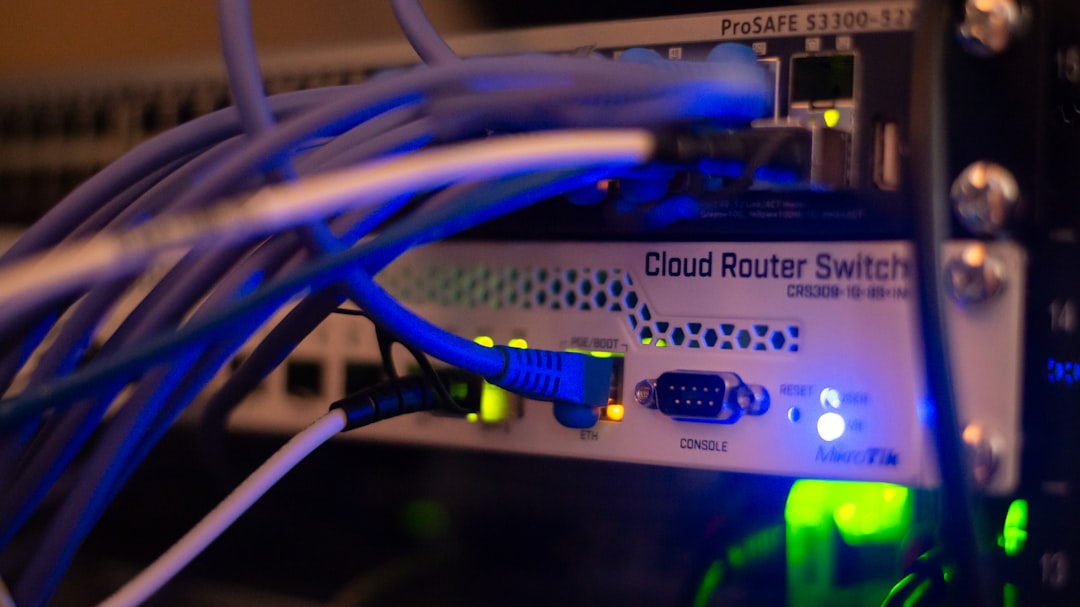
Featured image by Albert Stoynov on Unsplash.
SysArt Consulting
Continue with related services and guidance
Use these links to connect the article with relevant consulting services and practical guidance.